Custom Ferris Sweep
Custom split keyboard build using QMK firmware and Sea‑Picro microcontrollers.
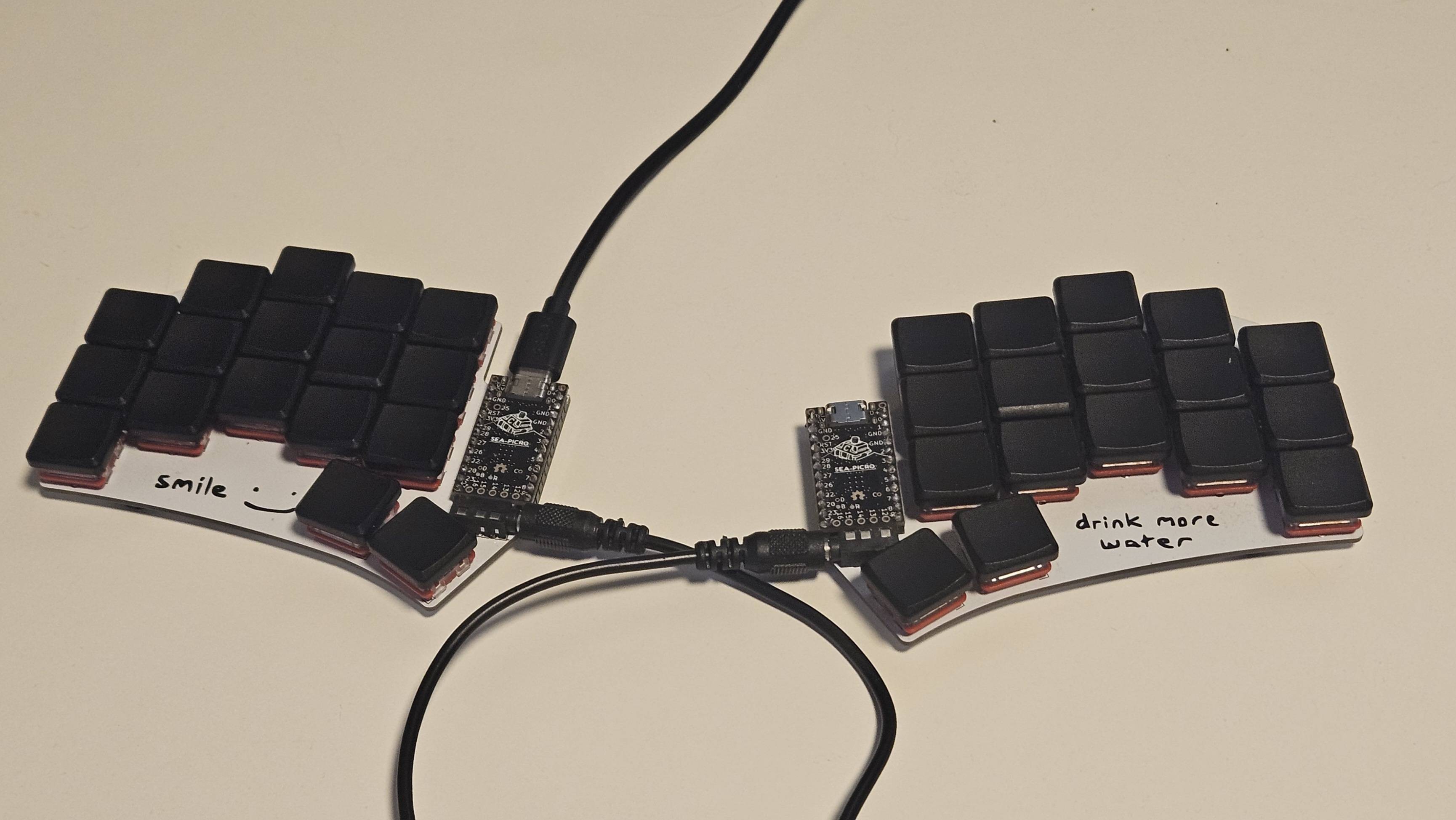
What is the Ferris Sweep
The Ferris Sweep is a compact, ergonomic split keyboard design inspired by the Ferris layout but optimized for modern parts and flexibility. It’s a 34‑key split layout meaning you build two halves (in the Ferris Sweep’s case, reverisble PCBs) separately and connect them together with a TRRS jack and connected via USB‑C connection.
Why Sea‑Picro?
For dual-controllers I used Sea‑Picro which are RP2040 based microcontrollers in the classic Pro Micro form factor. They’re a drop-in replacement to the standard Pro Micro footprints usually found in the custom split keyboard community but offer a much more powerful dual‑core processor (up to 133 MHz) and better flash storage compared to older ATmega32u4 boards.
Key benefits:
- RP2040 microcontroller with dual Cortex‑M0+ cores
- USB‑C connector and compatible pinout
- One‑button reset/bootloader support simplifies flashing
- Compatible with QMK firmware builds
Firmware/QMK
The keyboard runs QMK firmware, a highly configurable open‑source keyboard firmware. I set up custom keymaps and compiled split firmware for both halves using QMK’s CLI tool system.
General steps I followed:
- Clone and set up QMK firmware environment
- Configure the Ferris Sweep keymap for split mode
- Use the
CONVERT_TOflag for RP2040 boards - Flash both the left and right halves with the appropriate .uf2 files
This workflow was sometimes tricky due to toolchain quirks with RP2040 builds, but QMK supports RP2040 and split layouts well overall.
Building & Assembly
Parts list
- 2x reversible Ferris Sweep PCBs
- 2x Sea‑Picro RP2040 microcontrollers
- TRRS cable + 2x jacks
- 34x Choc switches (depending on version)
- 34x Choc keycaps
Assembly notes
- Solder the TRRS jacks and controller sockets
- Place and solder switches once controllers are tested
- Flash firmware to both halves before final assembly
Testing your wiring and bootloader access early saves a lot of debugging time later.
Challenges & Learnings
- Firmware flashing on RP2040: RP2040 boards use UF2 drag‑and‑drop bootloading, which is great but requires holding reset for a bit longer than some other boards.
- Split reliability: Sometimes a half doesn’t register when connected via TRRS even if confirmed working independently, often due to wiring/pin mapping or firmware misconfiguration.
- QMK tooling quirks: Building properly for RP2040 split variants takes some experimenting with
CONVERT_TOand build targets.